
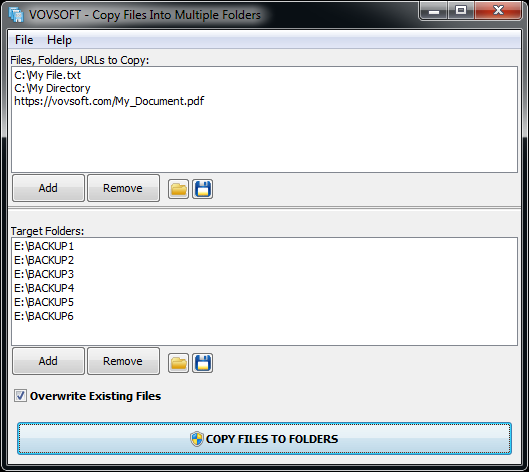
Copy one or multiple files to several folders, with or without overwriting existing content, with this lightweight, easy-to-use program. If you often need to copy a large number of files to multiple locations, performing this task the old-fashioned way is both tedious and time-consuming. Copy Files Into Multiple Folders is a handy piece of software that, as its name implies, enables you to copy files to multiple directories in one quick operation. It is very simple-to-use. This application is great for those who only wish to transfer a set of files to multiple directories in an effortless manner. First-time users should not run into any issues, as the programs functions are self-explanatory. Files can be added to the list using drag and drop actions, and you can specify whether or not existing items should be replaced. A processing log is displayed in a separate window after the operation has been launched. It lets you know which files have been copied or skipped.



