
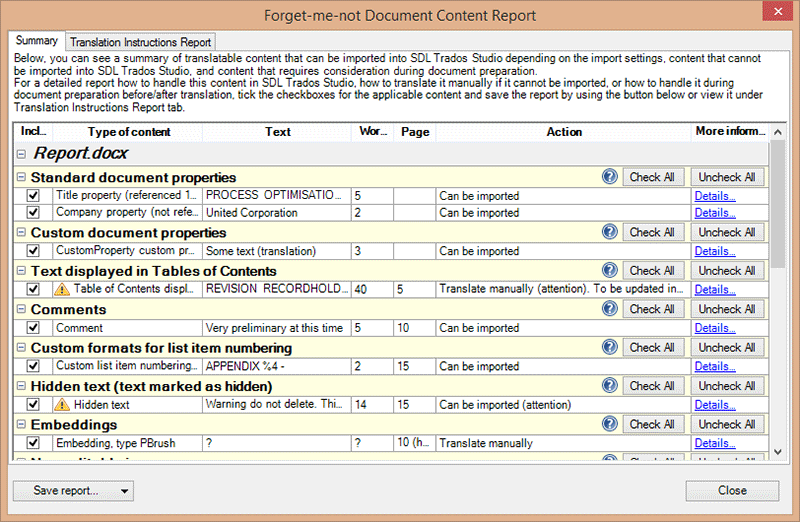
Forget-me-not analyzes the content inside several Microsoft Office documents and produces reports that give you a very clear idea how to translate these documents completely without overlooking anything and help you plan the additional work required for DTP and manual translation. The report provided by Forget-me-not will indicate which text will not be imported by your CAT tool (e.g. embedded objects, images, document properties, etc.), text which can be imported by changing the import options of your CAT tool (e.g. comments in Word are not imported by default in most CAT tools), and content that needs attention before and after translation in the CAT tool (e.g. fields that need to be updated, fixed-height textboxes and table rows that may need resizing in the final document, presence of tab characters, etc). By using this report, the PM or freelance translator can import documents into the CAT tool correctly, see what needs to be translated manually (e.g. embedded objects, images, etc), how many words are in this additional text, and what formatting work is needed in the final document.



