
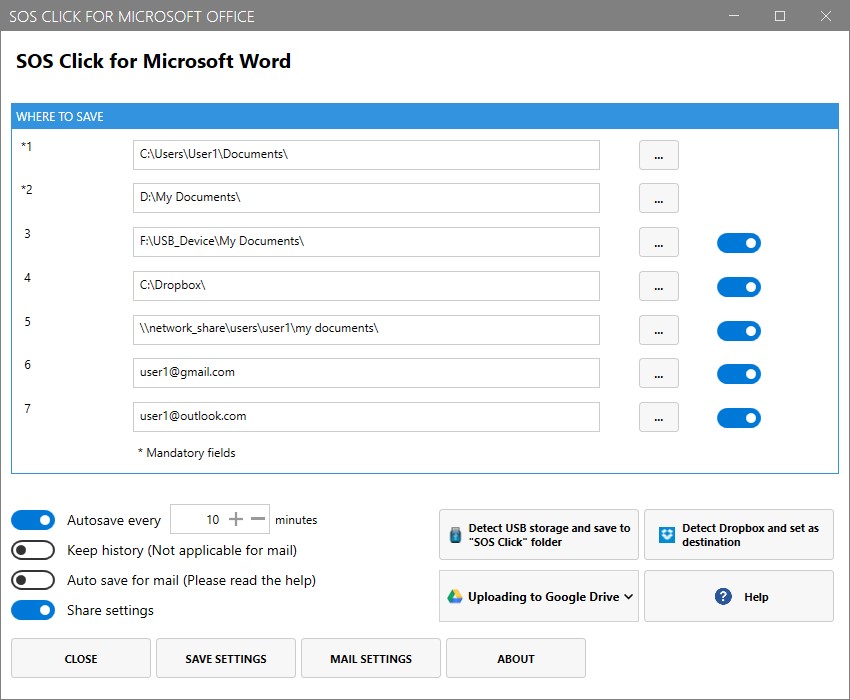
With SOS Click for Microsoft Office you can save your work across multiple locations in one click! Save your Word documents, Excel spreadsheets and PowerPoint presentations in more than one place with one action! Places can be both local on your computer like local folders, thumb/flash drives and remote like mapped network shares or drives, one or more e-mail addresses and cloud services for storing your files like Dropbox, Google Drive and Microsoft OneDrive. With this add-in you can say goodbye to all technical issues as your work will always be available: a local hardware failure, lose of internet connection and other issues will be a thing you won't have to be worry about as your work is saved in multiple places and is always available! Moreover, the add-in features several auto-save functions including saving automatically to the e-mail address of your choice so you never lose a single copy of your important work!



