
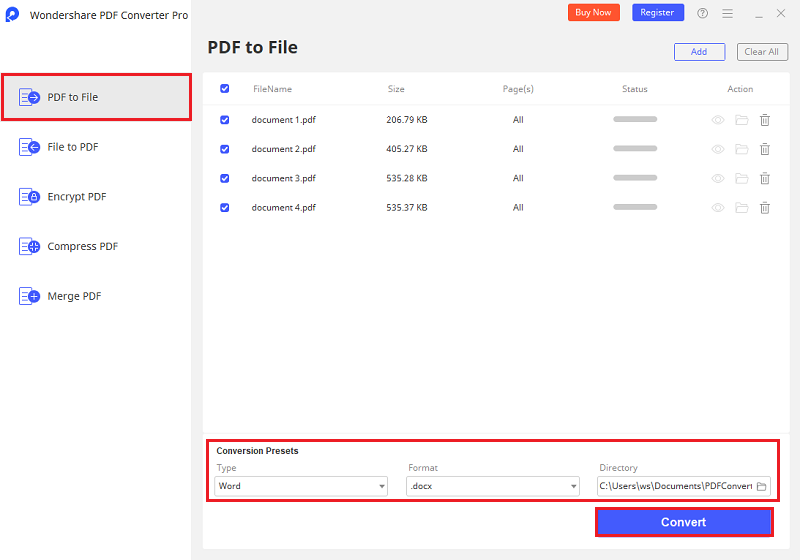
Convert normal PDF to Office formats, EPUB, HTML,Text and images with great preservation.PDF Converter can convert PDF files to Word documents, Excel spreadsheets, PowerPoint presentations, EPUB eBooks, Text files and HTML pages.Besides, the standard version also supports converting PDF files to images. After conversion, all the original text, images, graphics, tables, hyperlinks, layout and formatting are exactly preserved. Support Microsoft Office 2010/2007/2003 and text with OCR. Convert encrypted PDF files PDF Converter also can convert encrypted PDF files which are protected from printing, editing, and copying; For the password-protected PDF files from opening, you need to type the password in the pop-up dialog box, and then the PDF Converter can do the conversion work for you. Batch and Partial conversion modes Batch conversion mode: Help you convert up to 200 PDF files at one time, save your time; Partial conversion mode: Help you flexibly convert selected pages or page ranges in the PDF files to Word documents, Excel spreadsheets, PowerPoint presentations, EPUB eBooks, HTML pages or Text files.



